

English
Leave Balances
A table of every employee: entitlement, used, and remaining for each leave type.
Open to holders of leave-approval or HR settings permission.
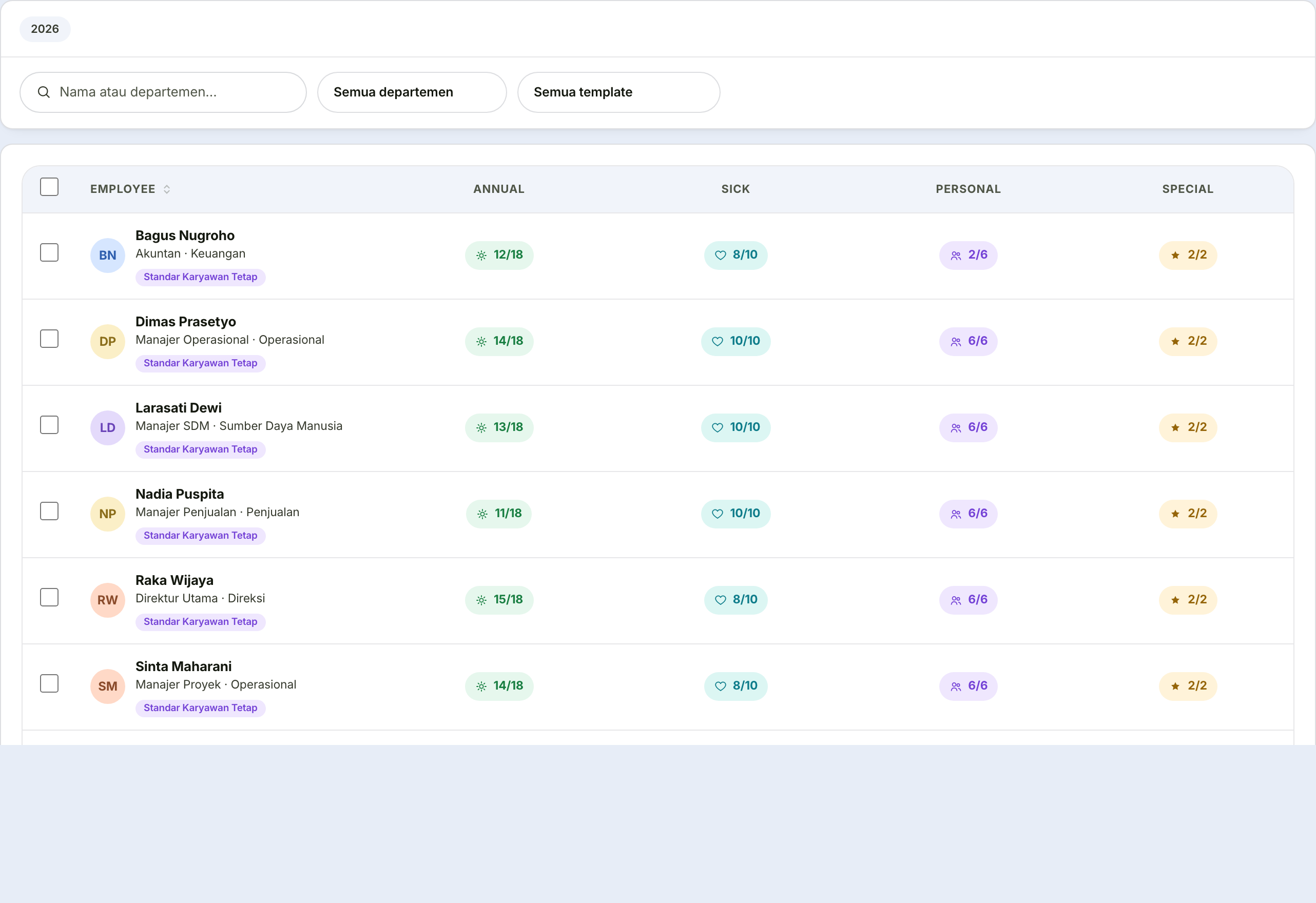
Filtering the table
| Control | What it does |
|---|---|
| Search box | Name or department |
| Department filter | Narrow to one unit |
| Template filter | See who uses a particular template |
Changing one person's allocation
Click their row, then Edit leave allocation.
| Field | What it holds | Note |
|---|---|---|
| Allocation per year | Number of days | Overrides the general policy and any template for this person |
| Note | The reason | Optional, but always fill it in |
Always fill in the note
A good example: "bonus leave for 5 years' service".
A year from now, that note is the only thing explaining why this person's figure differs. Without it, the next HR person can only guess — and usually guesses by resetting it back to the general policy.
Applying a template
Click Apply leave template, then pick the template.
The template replaces that person's entitlement across all four types at once. Days already used do not change — only the entitlement.
A template overwrites a manual allocation
If someone already has a manual allocation, applying a template removes it.
Read their allocation note first — there may be a reason the figure was deliberately different.