

English
Payroll Recap
Answers the question that would otherwise take twelve screens and manual addition: how much did we pay this year, to whom, and in which month.
Who can open it
Payroll permission holders only. There is no employee version — it holds the whole company's pay on one screen.
Employees still see their own history in My Payslip.
This restriction is enforced on the server, not by hiding a menu
Opening the page with an employee account is refused, even if the menu is forced to appear.
What you can set
| Filter | What it does |
|---|---|
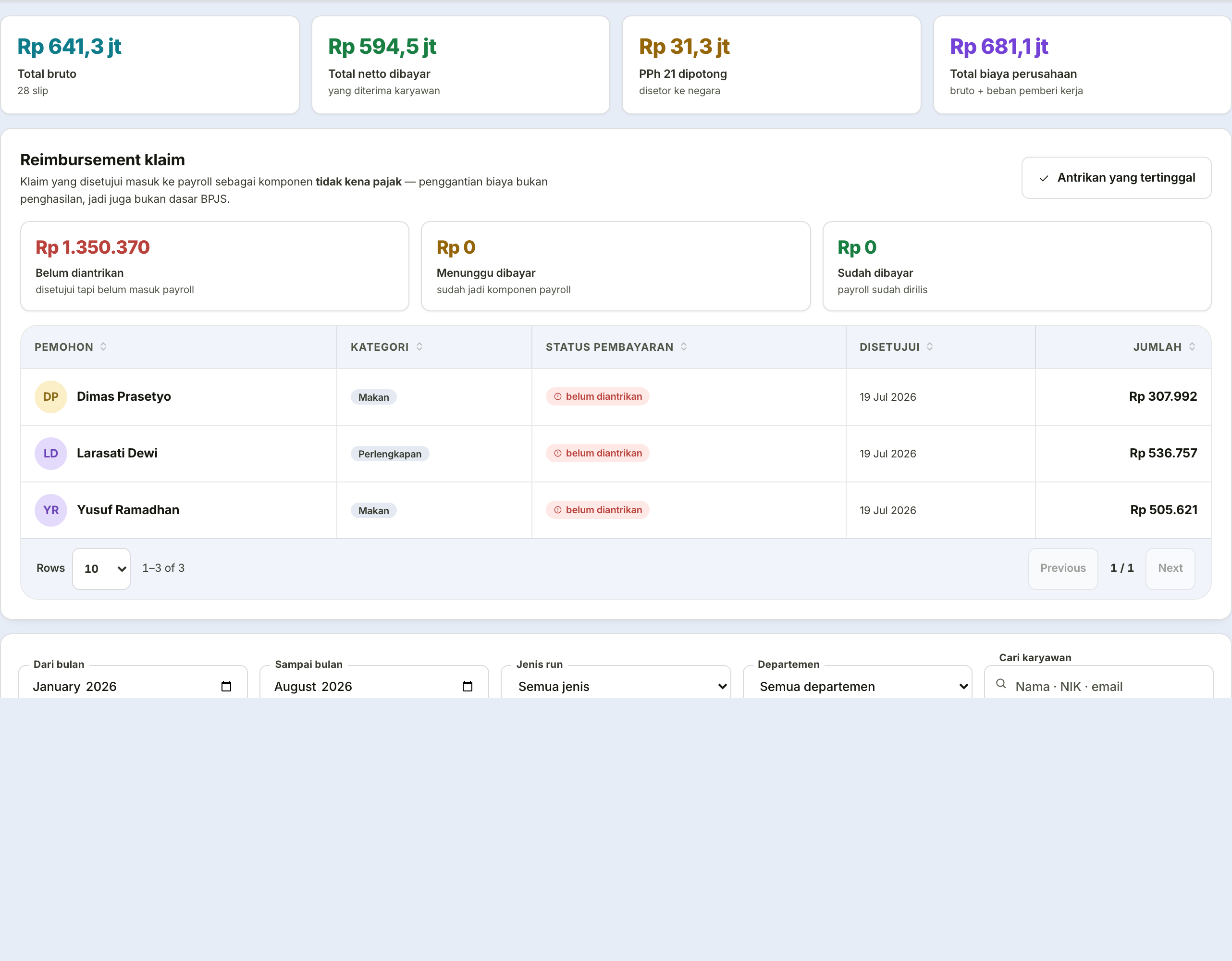
| From–to month | A free range, up to 24 months. Shortcuts: this month, this year, last year |
| Run type | All, or regular, festive allowance, or bonus only |
| Department | Filters the table and its summary |
| Search employee | Name, employee number, email, or job title |
| Include inactive employees | Appears automatically when someone who has left was paid within the range |
Three ways to view
By employee — one row per person: payslip count, gross, deductions, tax, net, average net, and company cost. Click a row for a month-by-month breakdown with payment dates.
By month — a bar chart and totals table for the whole company.
Months without payroll show as zero, not omitted
A month missing from the chart reads as "no data", when what it means is "nobody was paid". Those are very different things when you are checking whether a period was skipped.
By department — total cost per department, largest first.
Two figures often confused
| Figure | Meaning |
|---|---|
| Net | What the employee receives |
| Company cost | Gross plus employer contributions — the employer's share and any tax the company bears |
Company cost is the figure for budget conversations, not the one reaching an employee's bank account.
Why the figures can be trusted
This page adds up payslips already issued — it recalculates nothing.
A report that recalculates will diverge from the payslips
Sooner or later, recalculation produces a different figure from the payslip the employee holds. And when a report disagrees with a payslip, it is the report that stops being believed.
So this recap only sums; it never calculates.
Employees who have left are still counted as long as they were genuinely paid within the range — excluding them would stop the recap matching the bank statement.
Exporting
One file containing four sections: a per-employee summary, per-month detail per employee, whole-company monthly totals, and departmental totals.
The export follows the active filters, except the monthly totals section, which always covers the whole company.