

English
Full menu map
Kreativstaff has 51 pages, grouped into ten areas of work. This is the complete list with what each contains.
You will not see all of them — access decides what appears on your screen.
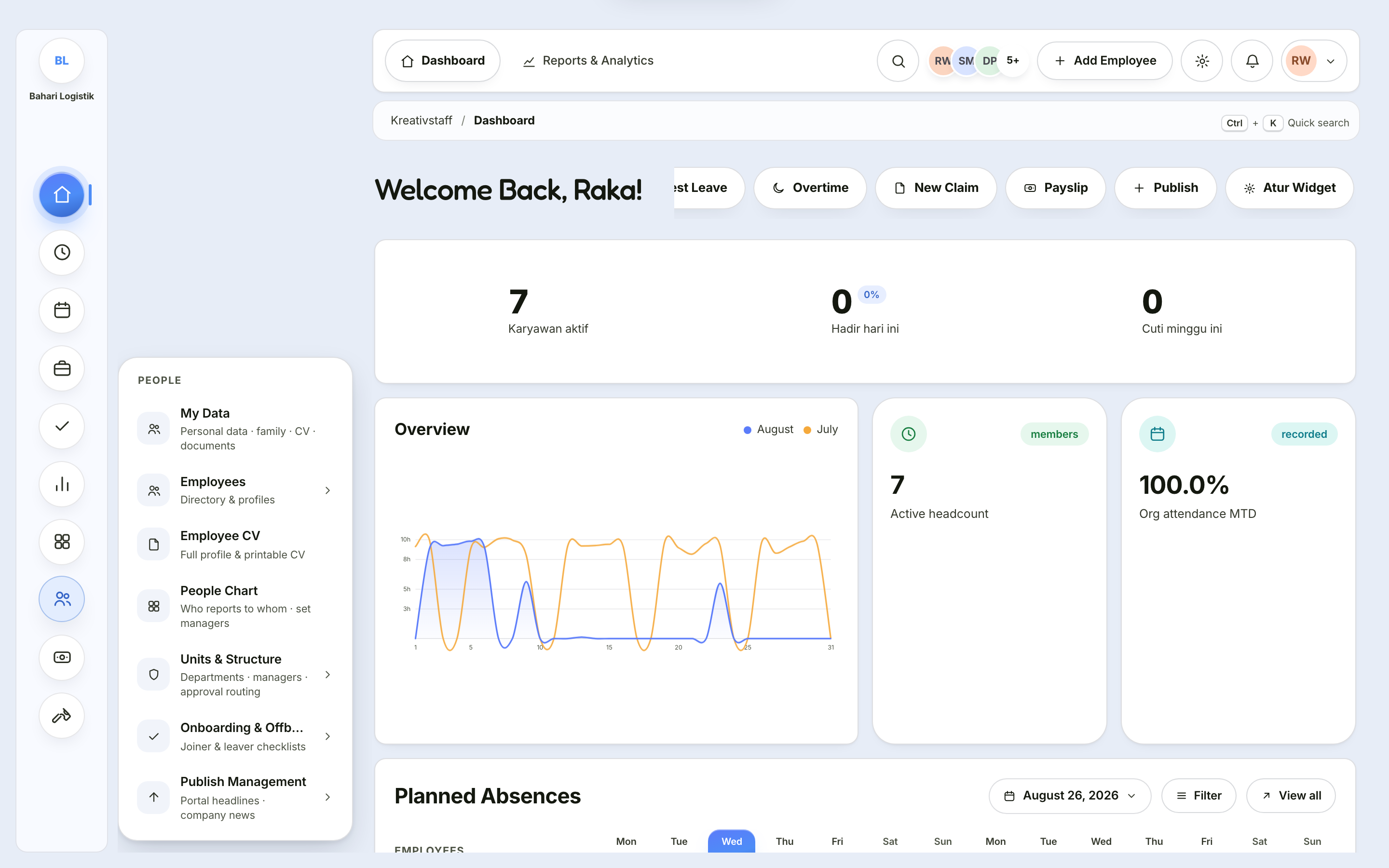
Dashboard
| Page | What it holds |
|---|---|
| Dashboard | A summary you assemble yourself from 18 widgets |
| Announcements | Company news and announcements published by HR |
Attendance
| Page | What it holds |
|---|---|
| My Attendance | Your own clock in and out, the month's calendar, history, and the rules that apply to you |
| My Schedule | Your shifts week by week, with holidays and approved leave marked |
| Attendance Management | Three tabs: Roster & corrections (who is present today, fix records) · Evidence & location (selfies, map, distance, location accuracy) · Rules & schedules (offices, shifts, policies) |
| Monthly Recap | Attendance totals per employee per month — these are the figures payroll uses |
Leave Management
| Page | What it holds |
|---|---|
| Leave Balances | Each employee's leave balance; changing allocations, applying templates |
| Who Is On Leave Today | Who is on or about to take leave, monthly trends, load per department |
| Leave Policy | Days per leave type, first-year proration, carry-over limit, templates |
| Holiday Calendar | Importing public holidays, adding company dates, attendance lock |
My Requests
| Page | What it holds |
|---|---|
| All My Requests | All eight request types in one list |
| My Leave | Your leave balance and the leave request form |
| Overtime & WFH | Requesting overtime or working from home |
| Claims | Expense reimbursement: transport, meals, medical, and others |
| HR Services | Five tabs: Attendance Correction · Letters · Business Trips · Shift Swap · My Documents |
Approvals
| Page | What it holds |
|---|---|
| Approval Center | The only place decisions are made. Five tabs: Queue · Decision history · My delegations · Request rules · Chains & delegation |
| Approval Analytics | Cycle time, timeliness, escalations, and each approver's load |
KPI
| Page | What it holds |
|---|---|
| Programmes & Templates | Creating programmes, unit templates, indicators, targets, and publishing |
| Settings | Weights for the two forms, grade thresholds, adjustment points |
| My Scorecard | Filling in your results, uploading evidence, self-assessment, submitting |
| Team Review | Assessing reports, approving or returning |
| Calibration | Distribution, grade adjustment, finalisation |
| Reports | Corporate, unit, and individual results, with export |
| KPI Dashboard | Executive analytics: grade distribution, trends, radar, rankings |
| KPI Guide | In-app guidance: the thirteen stages, terms, formulas, roles |
Growth & Reviews
| Page | What it holds |
|---|---|
| Training & Skills | Four tabs: My training · My skills · Team · Catalogue |
| Review Cycles | Four tabs: My review · Team · Cycles · Calibration |
| Goals | Two tabs: My goals · Team and Organisation — direction and check-ins, not KPI assessment |
| Reports & Analytics | Attendance trends, work mode, overtime, payroll cost, training |
People
| Page | What it holds |
|---|---|
| My Data | Your own record: personal details, family, CV, and documents |
| Employees | The employee directory and full profiles, plus adding employees |
| Employee CV | One employee's CV, ready to print |
| People Chart | Who reports to whom; setting managers |
| Units & Structure | Three tabs: Unit chart · Units & managers · Structure health |
| Onboarding & Offboarding | Three tabs: My Checklist · Active · Templates |
| Publish Management | Two tabs: Portal headline · News feed — appears in the Kreativlo portal and Kreatime |
People Chart and Unit chart are two different diagrams
The People Chart draws people and the manager–report lines between them. The Unit chart draws organisational boxes: division → department → team.
Neither is a copy of the other, and both need filling in.
Payroll
| Page | What it holds |
|---|---|
| My Payslip | Your own payslip — or the whole roster if you hold payroll rights |
| Salary Components | The component catalogue and how each is treated for tax and social security |
| Employee Payroll Data | Components per employee, plus their tax and social security profile |
| Payroll Process | Six steps: Period → Participants → Calculate → Review → Approval → Finalise |
| Festive Allowance · Bonus · Loans | Payments outside the monthly cycle |
| Payroll Recap | A cross-month recap by employee, month, or department |
| Payroll Settings | Tax year, contribution rates, minimum wage, validation thresholds |
Tools
| Page | What it holds |
|---|---|
| Salary Calculator | Five tabs: Take-home · Income tax · Social security · Overtime · Festive allowance |
| Severance Calculator | Severance pay, service appreciation, entitlement compensation, and their tax |
| Time & Leave | Working days · leave simulation · length of service · hour conversion |
| Data & Compliance | Compliance scan · identity number validators · number-to-words |
| Scan & OCR | Reading ID cards · documents into text, processed on your device |
| PDF Toolkit | Merge · split · export images · watermark · compress |
Every Tools page only calculates
Not one of them stores data in the system. Closing the page loses the result — copy what you need first.
One exception: the PDF Toolkit has a Save to employee documents button.