

English
Attendance Management
The page for managers and HR: seeing who is present today, checking the evidence, and fixing records that are wrong.
Ordinary employees do not see this page.
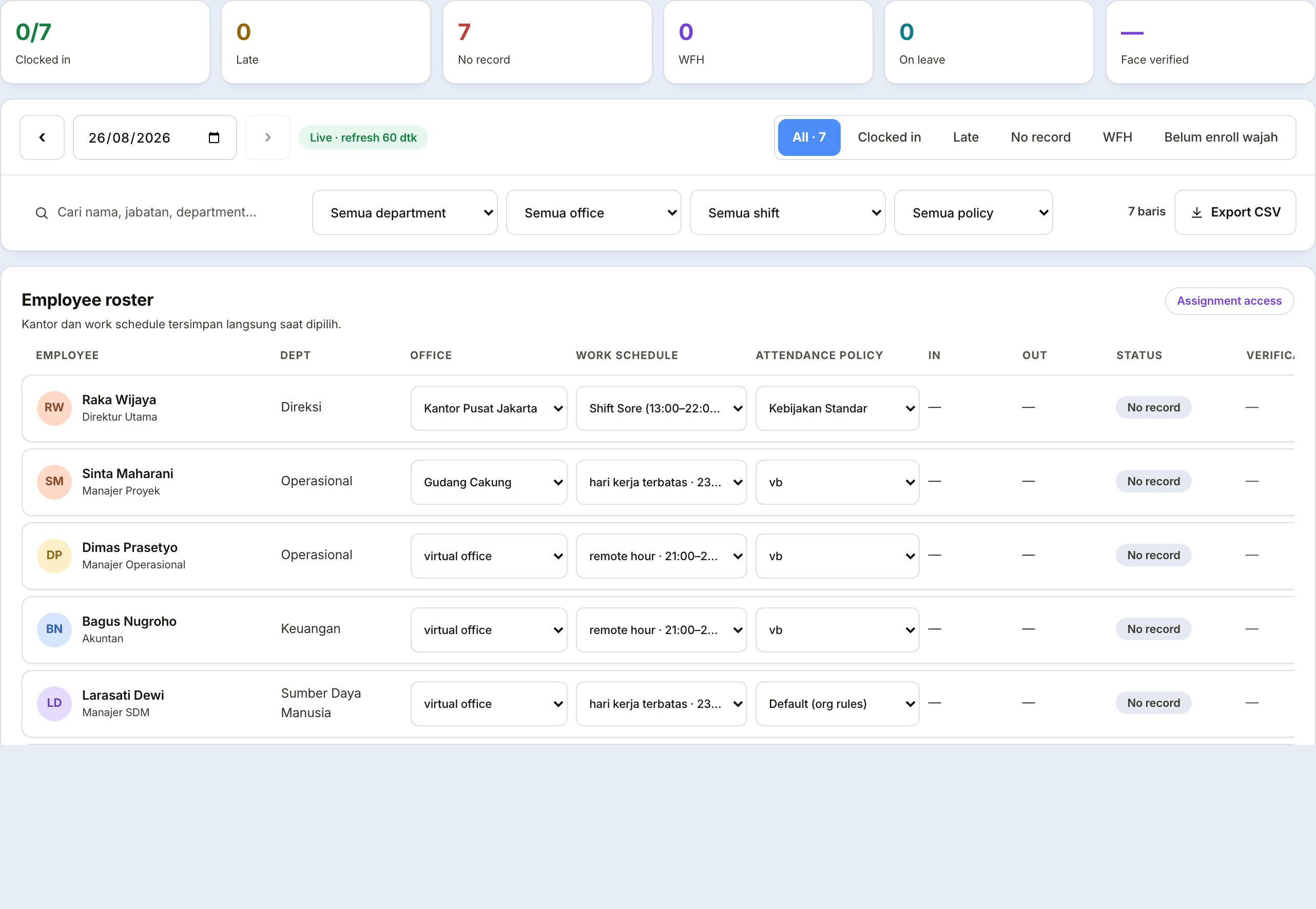
Roster & corrections tab
A list of all employees for a single day, with their attendance status.
| Column | What it holds |
|---|---|
| Employee | Name, department, job title |
| Schedule | The shift in force that day |
| In / Out | Clock-in and clock-out times |
| Status | Present, late, absent, or on leave |
| Mode | Office or working from home |
| Source | Phone app or web |
Manual corrections
When a row is wrong — an employee forgot to clock out, or is recorded absent despite being present — you can correct it directly.
A correction note is mandatory
Every manual correction asks for a note of at least three characters, and that note is stored permanently with the record.
This is not a formality. Attendance is the basis for pay; a change without a recorded reason makes the payroll figure impossible to defend if it is later questioned.
Assigning offices and shifts
This tab is also where you quickly assign a primary office, shift, and attendance rule to each person.
Additional offices are set elsewhere
If someone needs to be assigned to more than one office — rotating between two branches, for instance — add the second office (and any further ones) through the Assignment tab on that employee's own profile (People → Employees → click the employee). There, offices show up as a checklist: one is marked "Primary", and as many of the rest as needed can be checked. Roster & corrections stays a quick way to set only the primary office.
An employee without an office and shift cannot clock in at all
This is the number one cause of "the new employee cannot clock in". Before checking device permissions or roles, check that these two assignments exist.
Evidence & location tab
One day, all employees, complete with photos and location points on a map.
Filters are available: date, name search, department, status, source, and whether the face was verified. The result can be exported.
Use this tab when you need to examine a specific incident — a report that someone clocked in from somewhere they should not have, for instance.
Rules & schedules tab
Visible only to holders of settings permission. It holds the three things that form the foundation of all attendance:
| What it sets | Determines |
|---|---|
| Offices & radius | The office's location point and how far away someone still counts as "at the office" |
| Work shifts | Start and end times, and the working days |
| Attendance rules | Lateness threshold, location and face requirements, early-departure tolerance, automatic clock-out |
The right order when setting up from scratch
Create the office with its point and radius.
Create the shifts the company uses.
Create the attendance rules — or use the built-in ones.
Assign all three to each employee, through the Roster & corrections tab or the add-employee wizard in the People menu.
Skipping that last step is the most common mistake: the rules exist, but have not been attached to anyone.