

English
Dashboard
The Kreativstaff dashboard is an empty canvas you fill yourself.
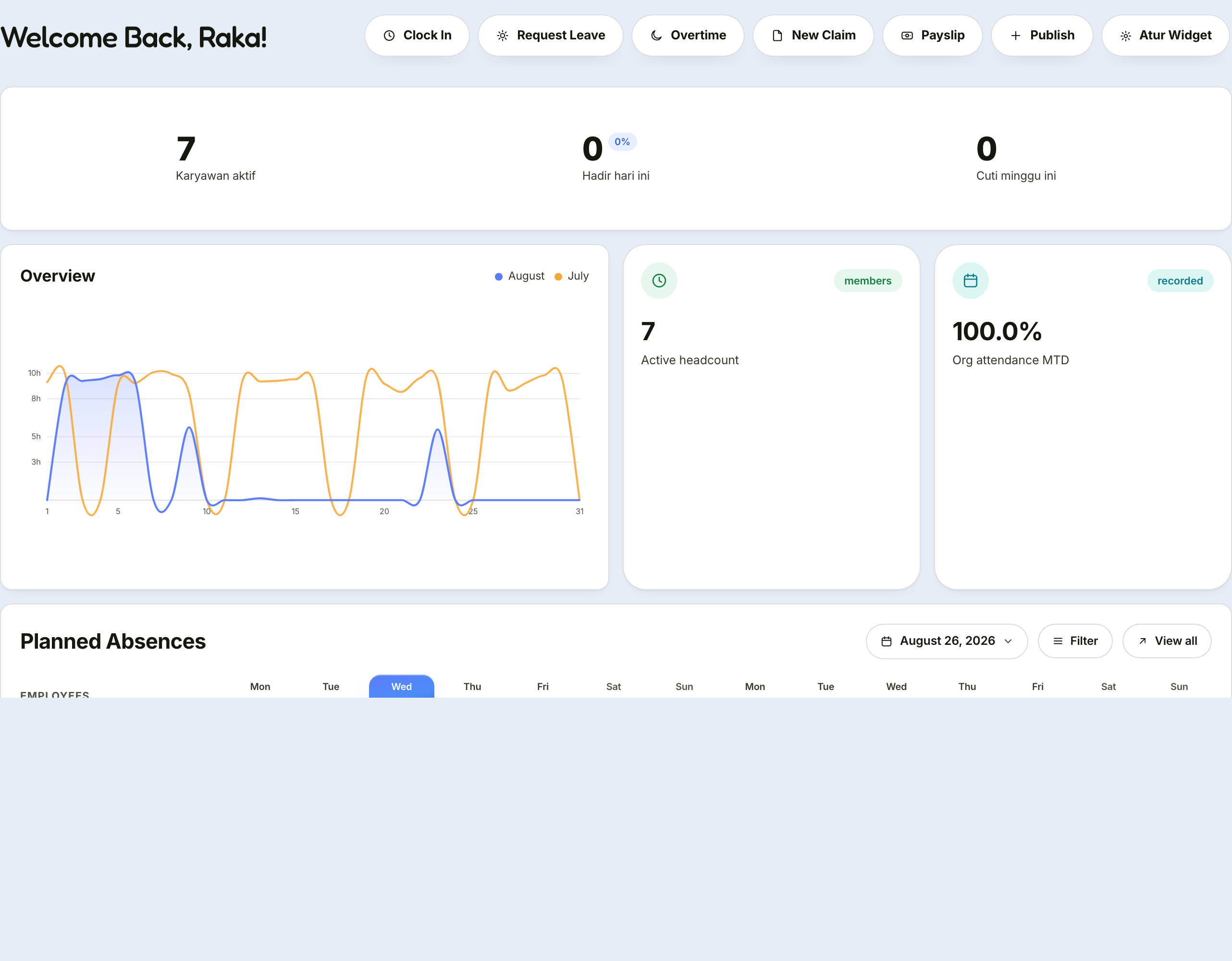
Arranging your dashboard
Click Edit in the top right.
Add Widget, then choose from the catalogue. Widgets are grouped into Summary, Attendance, Leave & Absence, Team, Performance, and Other.
Drag cards to move them; click the size icon to make them smaller or larger.
Click Done.
The arrangement is stored on your device
Colleagues do not see the same layout, and opening Kreativstaff from another computer means arranging it again there.
Widget catalogue
| Widget | What it holds | Permission needed |
|---|---|---|
| Welcome & Quick Actions | Greeting, date, shortcut buttons | — |
| Key Figures | Four summary numbers matched to your role | — |
| Clock & Greeting | A running clock | — |
| Work Time Dial | How many hours you have worked today | — |
| Organisation Attendance | Attendance percentage and an eight-week dot map | View reports |
| Work Mode | Split between office and remote | View reports |
| Attendance Chart | Attendance trend | View reports |
| Team Present Today | Who has clocked in | Team attendance |
| Team Leave Schedule | Who is on leave this week | Team attendance |
| Leave Usage | A doughnut of leave entitlement used | View reports |
| Pending Approvals | The queue waiting on your decision | Approve leave |
| My Checklist | Your onboarding or offboarding progress | View onboarding |
| Onboarding Progress | Checklists in flight | View onboarding |
| My KPI | Score and grade for the latest quarter | Own KPI |
| Expiring Certifications | Team certificates lapsing within 90 days | Team training |
| Headcount per Department | Active employees per department | View reports |
| Anniversaries This Month | Who is marking a service milestone | View employees |
| Next Holiday | The nearest public holiday | — |
| Latest Announcements | Company announcements | — |
| Quick Search | Find an employee or page from the dashboard | — |
Widgets missing from the catalogue
Widgets requiring a permission you do not hold are not shown in the catalogue — rather than shown and then refused when chosen.
If this guide mentions a widget absent from your catalogue, your role does not cover it. See the access table.
Suggested layouts by role
Employees — Welcome & Quick Actions, Work Time Dial, My Checklist, My KPI, Next Holiday, Latest Announcements.
Managers — Pending Approvals at the very top, then Team Present Today and Team Leave Schedule. Those three answer a manager's daily questions.
HR — Organisation Attendance, Headcount per Department, Onboarding Progress, Expiring Certifications, Anniversaries This Month.