

English
Making a request
Eight request types, one shared pattern. This page covers what applies to all of them; the following pages go through each type field by field.
The life of a request
What applies to every type
Choices come as lists, not empty boxes
Every choice field already carries a ready list. Transport claims offer taxi through to hired drivers; overtime offers release deployment through to stock counts.
Every list ends with "Other (write your own)", and choosing it opens a text box that is required.
Why "Other" cannot be blank
A closed list that cannot hold the real answer only forces people to pick a wrong one. But "Other" without an explanation is a request that says nothing to the approver.
The option you pick also appears on the approver's screen, so the decision is made over the same words — not over differing spellings.
The "Company rules" box
If your company sets anything for that request type, its rules box appears above the form.
It contains exactly the rules that will be used to accept or refuse — so no rule is discovered only after your request is rejected.
Supporting evidence
| Mode | What it means |
|---|---|
| Not used | The attachment section is hidden |
| Optional | May be attached, and helps the approver a great deal |
| Required | The submit button stays locked until a file is attached |
Accepted formats: PDF, JPG, PNG, WEBP, and DOCX. Maximum 10 MB per file, five files at most.
Required evidence applies to the approver too
When evidence is required, an approver cannot approve a request that lacks it either. The rule binds both sides, not just your form.
After submitting
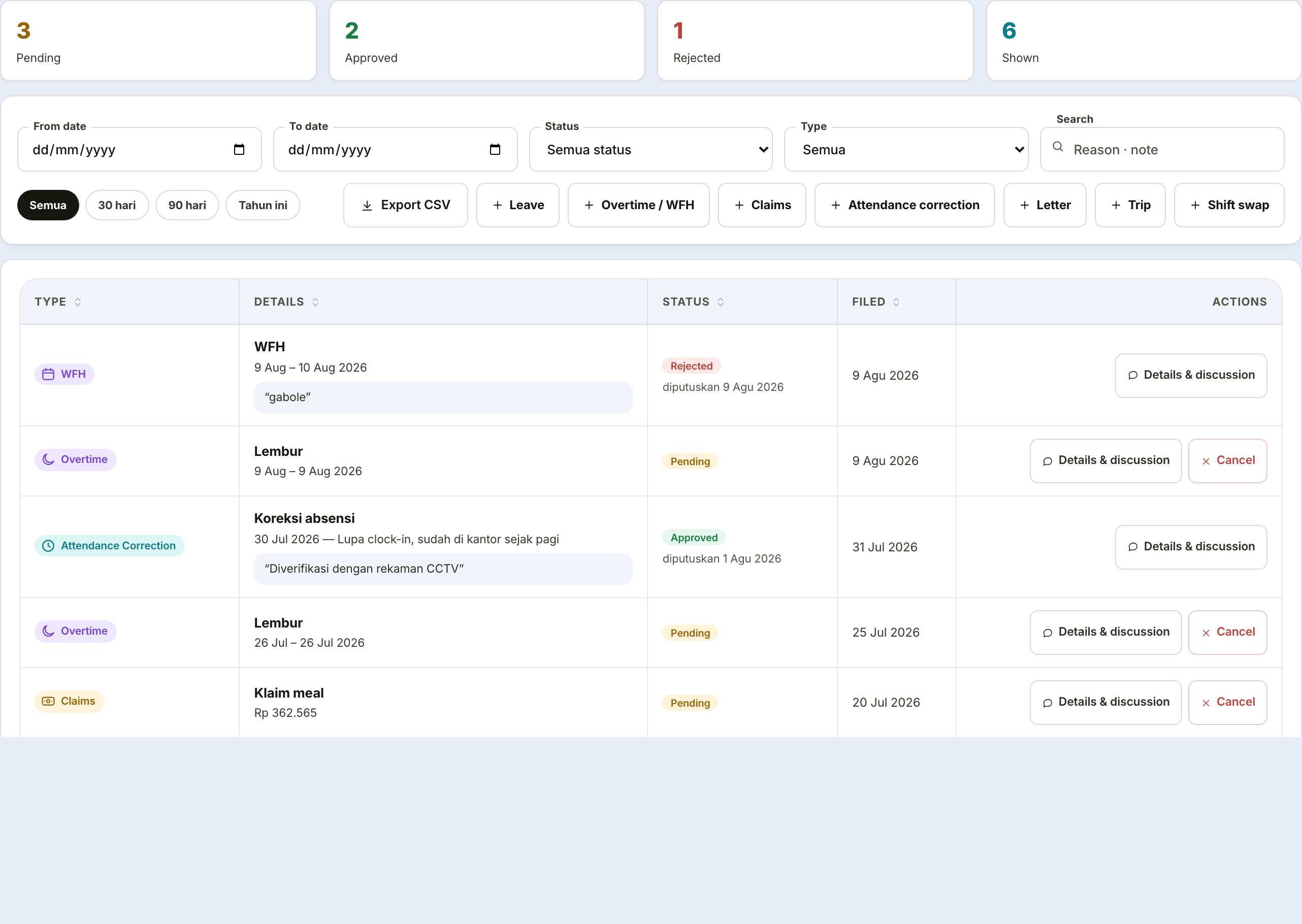
Every request can be opened through Detail & discussion in All My Requests. It carries four tabs:
| Tab | What it holds |
|---|---|
| Details | The contents of your request |
| Evidence | The attachments included |
| Discussion | Questions and answers with your manager, without rejecting first |
| Approval trail | Who decided what, and when |
The Discussion tab exists so an approver needing clarification can ask rather than reject. The request stays in the queue while the conversation runs.
The eight types
| Type | Page |
|---|---|
| Leave | Requesting leave |
| Overtime and working from home | Overtime & WFH |
| Claims | Expense claims |
| Attendance correction, letters, trips, shift swap | HR Services |
Cancelling a request
While still Pending, you can cancel it yourself from the request list. Once decided, cancellation has to go through HR.