

English
Request rules and approval chains
Two tabs in the Approval Center that decide what may be asked for and who decides. Only settings holders see them.
Approval chain: who decides
The threshold decides which rule applies
The active rule with the highest threshold still met wins.
For example: with a rule "leave ≥ 0 days → direct manager" and another "leave ≥ 5 days → manager then unit head", a 7-day leave request uses the second.
Request types with no rule at all still use single-step approval to the direct manager — so no request is left hanging without a destination.
Escalation does not move the decision
A step idle longer than its threshold is marked Reminded in the Trail, and its approver is notified.
Escalation only reminds
The decision stays with the same person. Escalation does not pass it to the next approver.
If someone genuinely cannot decide — extended leave, departure — use delegation, or change the organisation structure.
Delegation
On the My delegations tab, name a substitute and a date range. During that range, decisions that would fall to you are diverted.
You can only delegate your own authority.
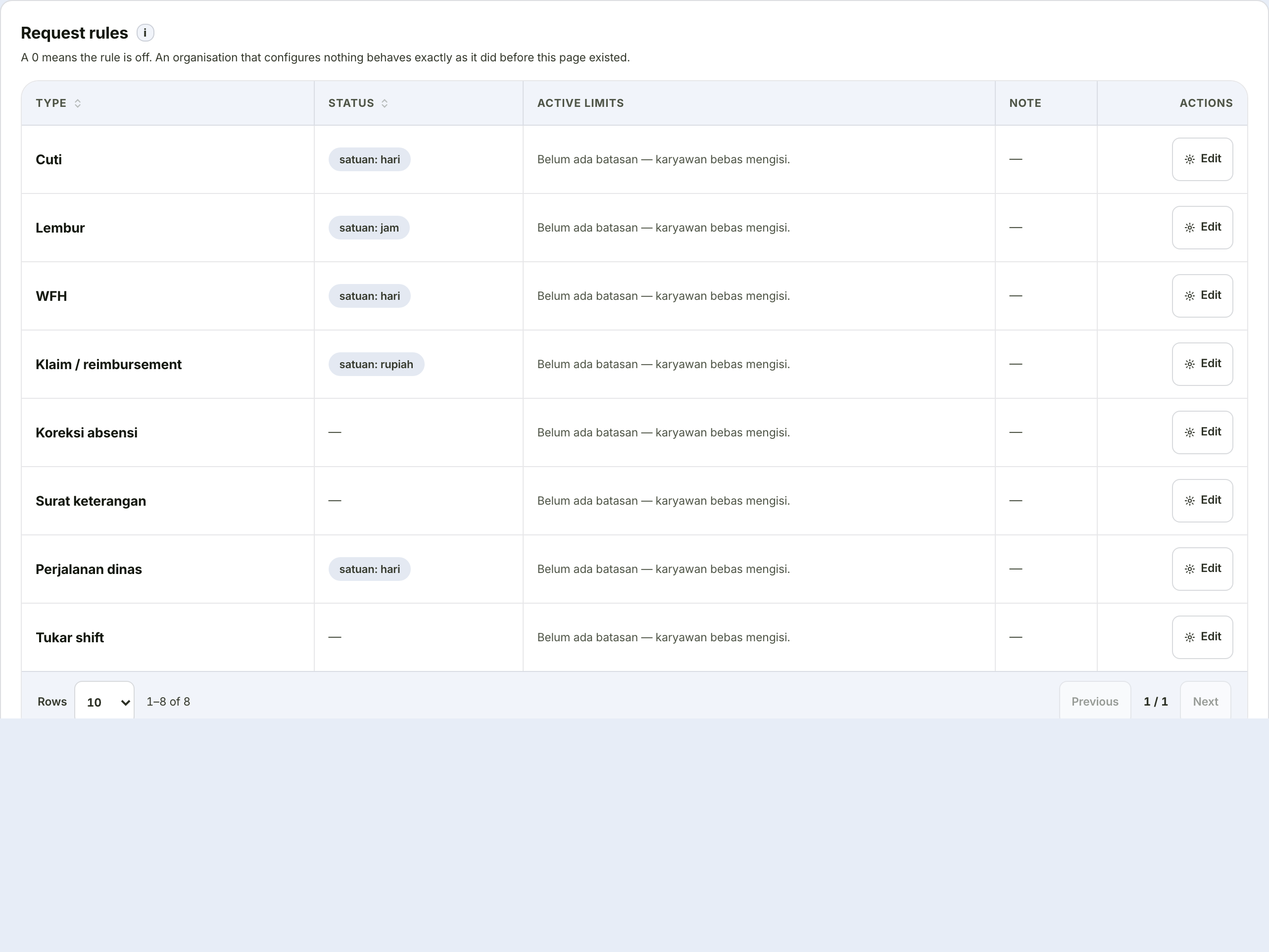
Request rules: what may be asked for
One card per request type, eleven settings.
Zero means the rule is off
This convention holds across the page: leaving a field blank or entering zero switches that limit off, rather than setting it to zero.
| Setting | Example use |
|---|---|
| Rule active | Switch off to return this type to no restrictions |
| Minimum notice | "Leave must be requested at least 3 days ahead" |
| Maximum notice | "Leave cannot be requested more than 90 days ahead" |
| Backdating allowed | "Attendance corrections up to 7 days back" |
| Minimum per request | "Overtime at least 1 hour" |
| Maximum per request | "Overtime at most 3 hours per request" |
| Increment | "Overtime only in 30-minute increments" |
| Monthly quota | "At most 20 overtime hours a month" |
| Minimum reason length | "Reason at least 30 characters" |
| Evidence attachment | Not used, optional, or required |
| Required only above | "Receipt required for claims above Rp 1,000,000" |
| Note for employees | Free text shown above the form |
The unit follows the type: hours for overtime, days for leave, WFH, and trips, rupiah for claims. Attendance corrections, letters, and shift swaps carry no quantity — only date rules, reason length, and evidence apply.
The monthly quota counts pending requests too
The quota does not only total what has been approved; it includes what is still in the queue. Without that, someone could submit five overtime requests at once at month's end and have them all pass the quota check.
The "what employees will read" preview
At the bottom sits a preview of the sentence that will appear on the employee's form. It is built from the same source as the enforced rule, so it cannot differ from what actually applies.
The increment must not exceed the maximum
If the increment is larger than the maximum, no valid value exists and every request will be refused. The system refuses to save that combination.
Overtime payment rules
A separate card on the same tab, set by the payroll holder — not the HR settings holder. This decides what overtime pays, not what may be requested.
| Setting | Meaning |
|---|---|
| Working days per week | Five or six — decides whether Saturday is a working day |
| Calculation mode | Progressive per regulation, or a flat multiplier |
| Multiplier | Applies to flat mode only |
| Overtime starts at | Requests starting earlier are refused; leave blank to disable |
| Rounding | For instance 30 minutes — overtime rounds to the nearest half hour |
| Daily limit | Default: 4 hours |
| Weekly limit | Default: 18 hours |
Daily and weekly limits are enforced when employees submit
Not only when payroll is calculated. Lowering them immediately narrows what employees can request from that moment on.
Switching calculation mode changes payslip figures
Moving from a flat multiplier to progressive calculation — or back — produces a different figure for the same overtime.
The switch is deliberately not automatic. Do it at the start of a period, not mid-way, and tell employees beforehand.
Overtime calculation follows Indonesian labour regulation
The progressive rates used are drawn from the prevailing government regulation. Because the details of application can vary by industry and employment agreement, confirm with your labour consultant before using it to calculate real wages.