

English
Leave Policy
A page for holders of HR settings permission. Three stacked sections: entitlement per type, accrual rules, and templates.
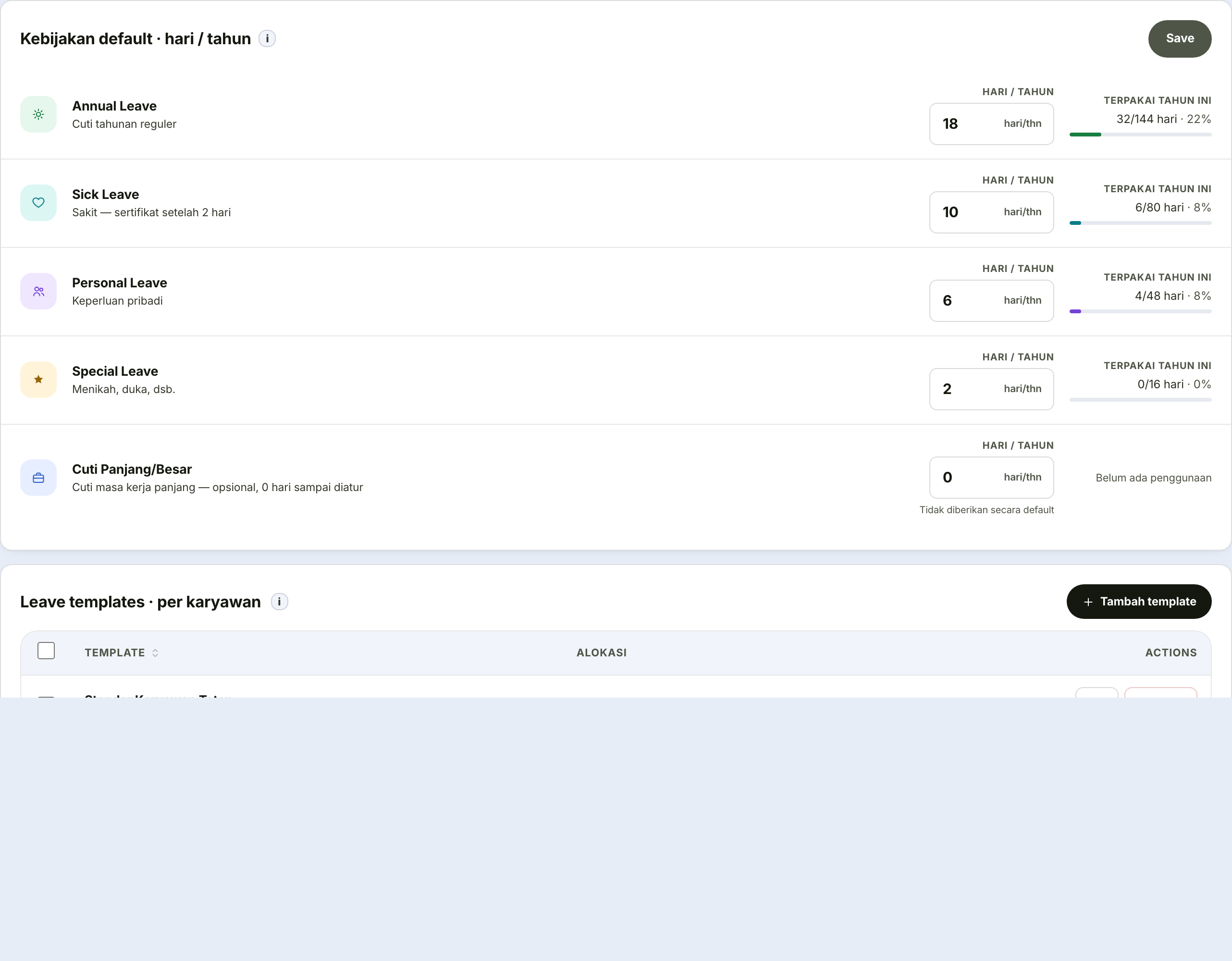
Days per leave type
One card per leave type. Enter the number of days per year.
Beneath each card runs a thin bar: how many days of that entitlement the whole company has already used this year.
A nearly full bar mid-year is a signal
Either the entitlement is too small, or leave is piling up earlier than usual. Both are worth acting on before the year ends.
Changing the entitlement does not claw back days already taken
It changes the current year's entitlement going forward. Someone who has already used 10 days does not suddenly go negative if you lower their entitlement.
Accrual and carry-over
Both are specific to annual leave and off by default. Turning them on does not reshape balances that already exist.
| Setting | What it holds | When to turn it on |
|---|---|---|
| First-year proration | On or off | Turn on if employees joining mid-year should receive a proportional entitlement rather than the full amount on day one. This is the usual practice, and consistent with the principle that paid annual leave is earned through service. |
| Carry-over limit | Number of days | How much unused leave may be carried into next year. Zero means none may be carried at all. |
The Save button only becomes active once something has changed, and an Unsaved label shows while changes are pending.
Leaving the page without saving discards the changes
There is no automatic save on this page.
Leave templates
For groups whose entitlement differs from the general policy.
| Field | What it holds |
|---|---|
| Template name | The name HR will pick later, for instance "Manager Leave" |
| Description | When this template is used — so the next HR person does not have to guess |
| Entitlement per type | Days for each of the four leave types |
A template is only a package of numbers
Creating one does not apply it to anybody. It only takes effect once applied from the Leave Balances page.